


Offline Mapping for Lilygo T-Deck and Pager – Blackout Comms Firmware Update

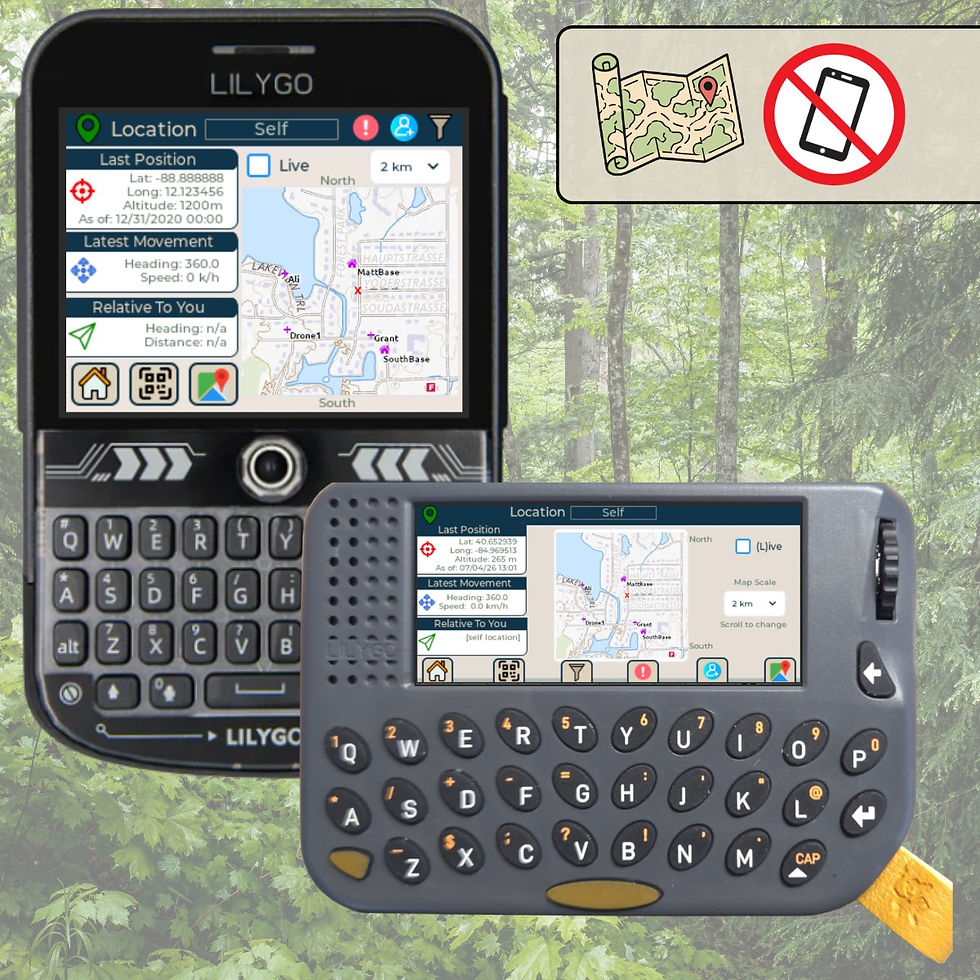
I’m excited to announce full offline mapping support for the Lilygo T-Deck (and T-Deck Plus) and Lilygo Pager in Blackout Comms!
You can now see your live GPS position and the locations of all trusted devices in your private encrypted mesh cluster directly on the device screen — no smartphone or internet connection needed after the initial map download.
Maps are stored on your device's SD card, and can be copied to more SD cards for other devices.
Note: Downloading / viewing map tiles on your T-Deck or Pager requires the device to have its own Blackout Comms Pro license (~$25 one time).
Two Flexible Ways to Download Maps
1. Direct On-Device Download
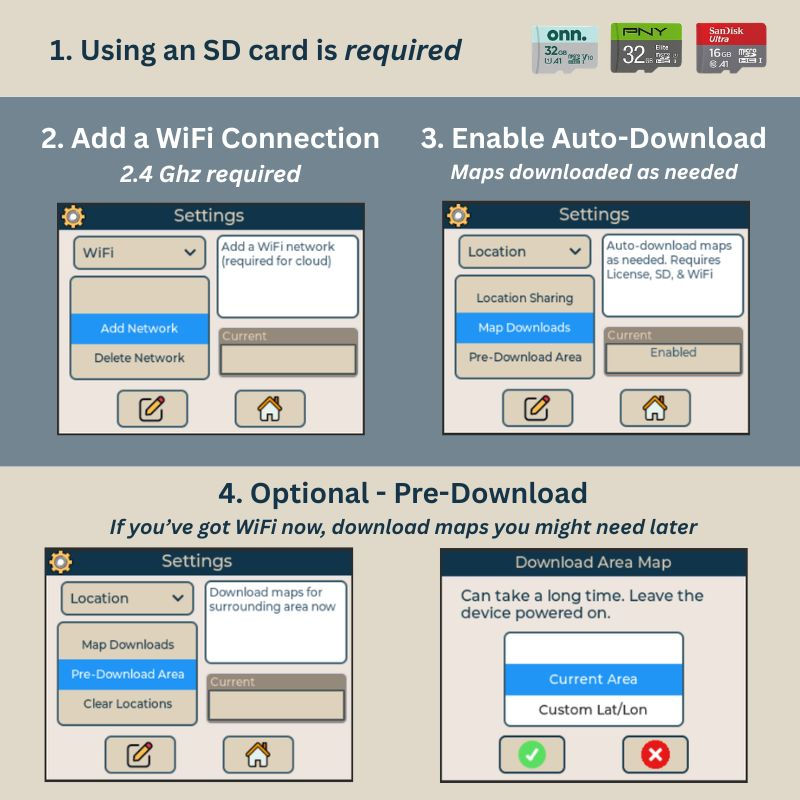
Connect to 2.4 GHz WiFi (phone hotspot works great).
Open the Location screen — the device automatically downloads map tiles for your current area.
Or go to Settings → Location → Pre-Download Maps to grab maps for specific coordinates in advance.
2. Map Tile Pack Download via Computer (Great for larger areas)
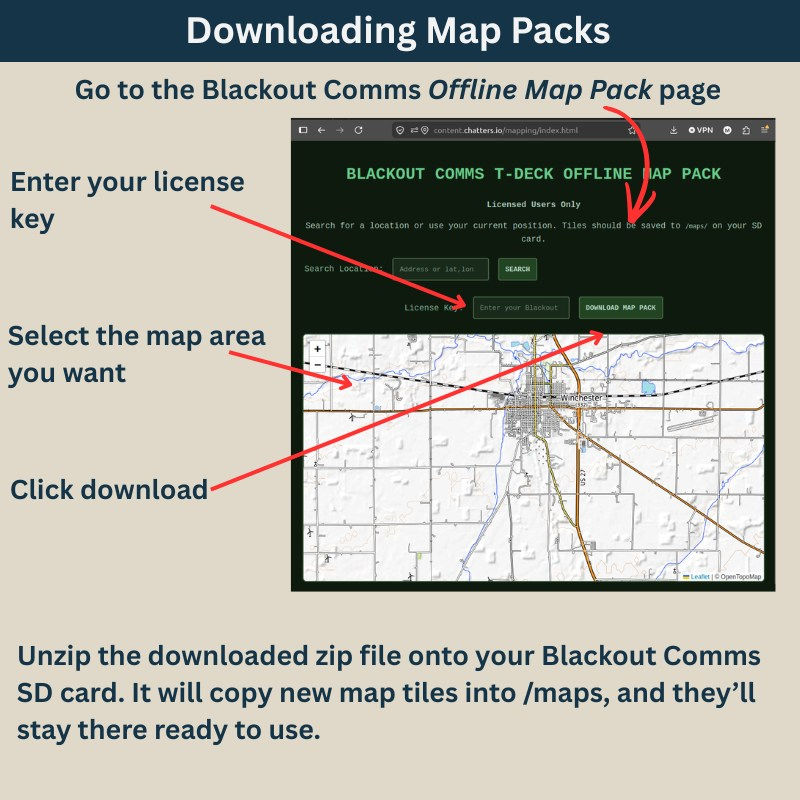
Visit the Blackout Comms Map Pack Tool on your computer.
Center the map on the desired area, enter your license key, and download.
Copy the unzipped tiles to the /maps/ folder on your device’s SD card.
Downloaded maps can be copied to any number of SD cards for other devices. Any device on which you want to view maps does need its own pro license (~$25).
What On-Device Mapping Looks Like
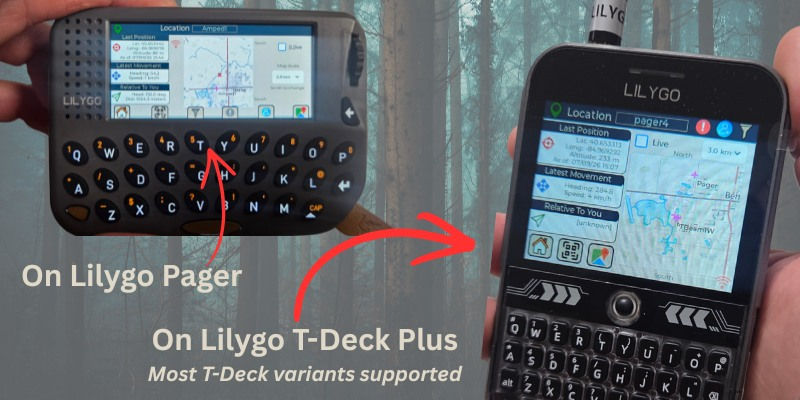
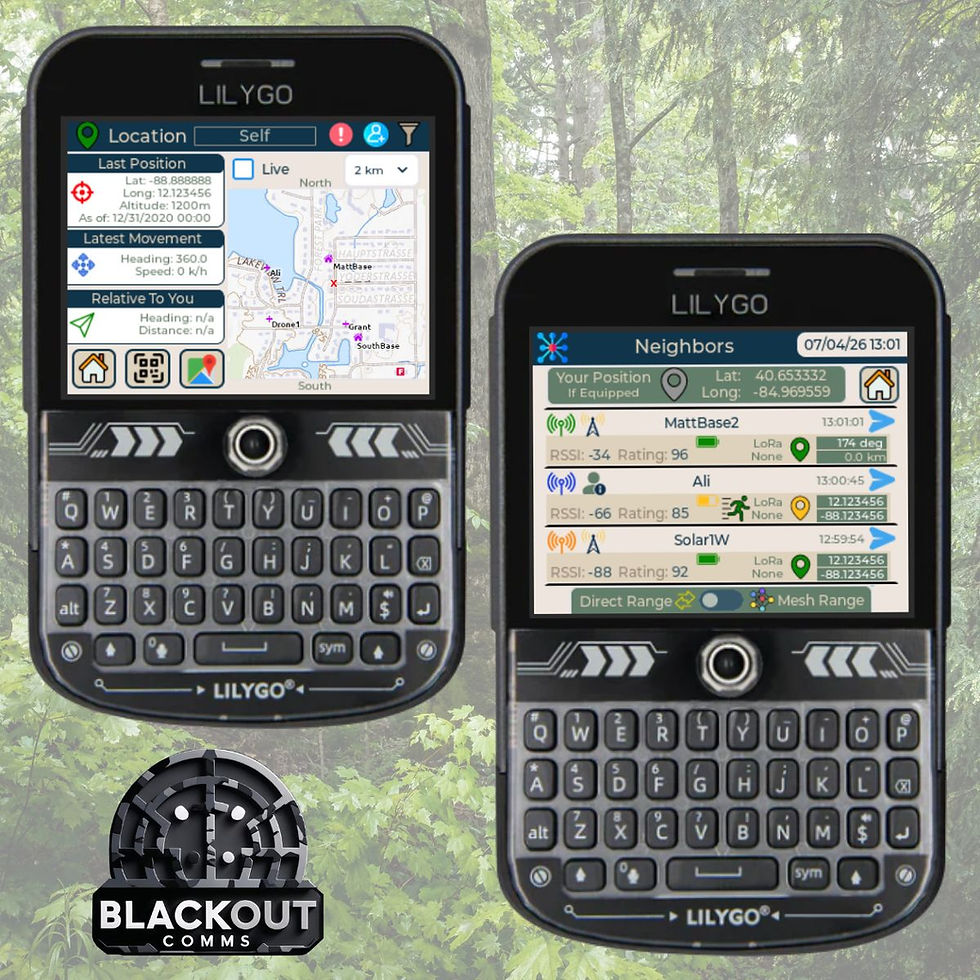
Your position stays centered as you move through the map.
Trusted cluster members appear as clear markers with last-known locations.
Four zoom levels give you flexible detail.
Quick access to the Neighbors screen for RF vs. mesh range visibility.
Everything runs completely offline using maps stored permanently on the SD card. The maps folder can also be copied to other licensed devices.
Key Requirements
Each device you want to view map tiles on requires a Blackout Comms pro license (one-time, ~$25, travels with your SD card)
Micro SD card inserted in the device
Firmware version 3.6.3 or higher
2.4 GHz WiFi for initial downloads, unless you're downloading map packs via PC
Who This Helps Most
Campers, hikers, and nomadic families who want reliable offline awareness
Prepper teams running comms drills
Anyone operating in areas with poor or no cell coverage
This feature was built to make resilient, phone-free mesh networking even more practical. I focused on keeping setup simple while delivering real situational awareness in the field.
Ready to Try It? Update your licensed firmware on supported T-Deck or Pager devices and start mapping.
DIY: Set up your own off-grid private mesh cluster in minutes!
Links:


